
Lesson letter
Classquest duration: 45 minutes
Target audience: Ages from 8 to 12
In this class quest students discover that not everything you see or read online is real. Someone can pretend to be different. In this case that person is Brad, Isobel's neighbor. He sells the sickening drink E-water. A drink that, according to him, ensures that you get the biggest muscles. The students join Isobel to gather evidence against the boy next door, because he is making innocent people sick! In this way they also learn what the consequences can be of pretending to be different on the internet.
Learning goals
Students learn...
- that not everything you see or read on the internet is real.
- that you can pretend to be different on the internet
- what the consequences may be for yourself of pretending to be different on the internet (positive and negative)
- what the consequences may be for others of acting differently on the internet (positive and negative)
Link to DigComp*
- D1 information search, evaluation, management
- D4 safety, wellbeing, and responsible use
*DigComp (the Digital Competence Framework for Citizens) is an EU framework that describes the digital skills people need to use technology confidently, safely, and responsibly. For primary school teachers, it provides a clear reference for helping children learn basic skills such as finding information online, creating simple digital content, staying safe on the internet, and behaving respectfully in digital environments. DigComp supports a shared European understanding of what “being digitally competent” means at different ages.
Necessities
- Interactive board
- Create an account here in advance. If you want to practice a quest beforehand, click ‘practice’ at the start. This takes about half an hour.
Glossary
- COPS: The Police Cyber Offender Prevention Squad. The COPS team allows possible perpetrators of cybercrime see the consequences. But also looks at the cool things that they could do with their digital skills.
- Influencers: an influencer is someone who can influence other people to buy a product purchase, purchase a service or stimulate brand awareness. He/she is very active on social media, has many fans and/or followers, and can influence a specific target group.
The lesson
Introduction - 10 min
Tell the students that you are going to talk about how to present yourself online and play a game about it. For example, photos or videos are often edited. But why would that be so? And what could the consequences of that be?
Introductory questions
- Do you ever see photos on social media that look a little different than normal? What do you think of that?
- Have you ever edited a photo of yourself before posting it online? Why did you do that? What happened next?
- Do you think it's okay to edit photos, or should they show exactly what you really look like?
- What filters do you like to use when editing a photo? Why do you like that one?
- Do you think it's important for photos to look perfect on social media? Why or not?
- Have you ever experienced something funny after sharing an edited photo? Or maybe something less fun? What happened?
- What do you think happens if everyone only shares perfect photos on social media?
Core - 30 min
Start the quest on the digital board. Indicate that you are now going to start the game and discuss rules that suit your class when you play a game on the digital board.
In the quest, Isobel tells the story. This is described in text. You can choose to have children take turns reading the text.
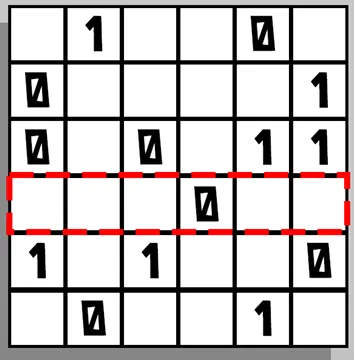
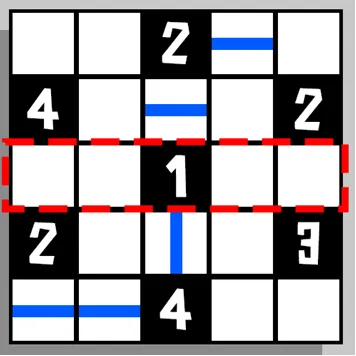
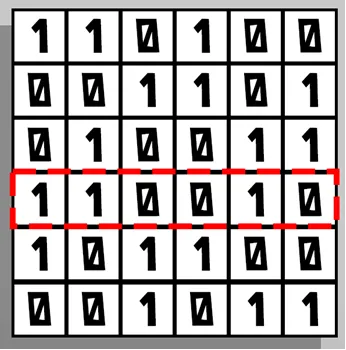
Students must solve two puzzles in the quest. They can do this individually or in groups. They can trace and fill in the puzzles themselves, or you can print them out ahead of time. You can find the puzzles in Appendix 1 (Appendix 2 are the solutions).
During the quest, statements will be presented and questions asked. Choose which topics you will go in depth about with your class. Connect to the needs of your students, otherwise you will run out of time. If you still want to discuss everything, you can also cut the lesson into pieces and continue it another time. The quest is to restart at the next session where you left off.
Closing - 10 min
Final Quiz
Play the in-game final quiz to check if they've been paying attention!
Evaluation
Ask the students what they learned. Is their view of edited photos changed now? You can ask some questions from the introduction again.
Tips
- To add a dynamic touch, consider having students take turns reading the text, making the experience even more engaging.
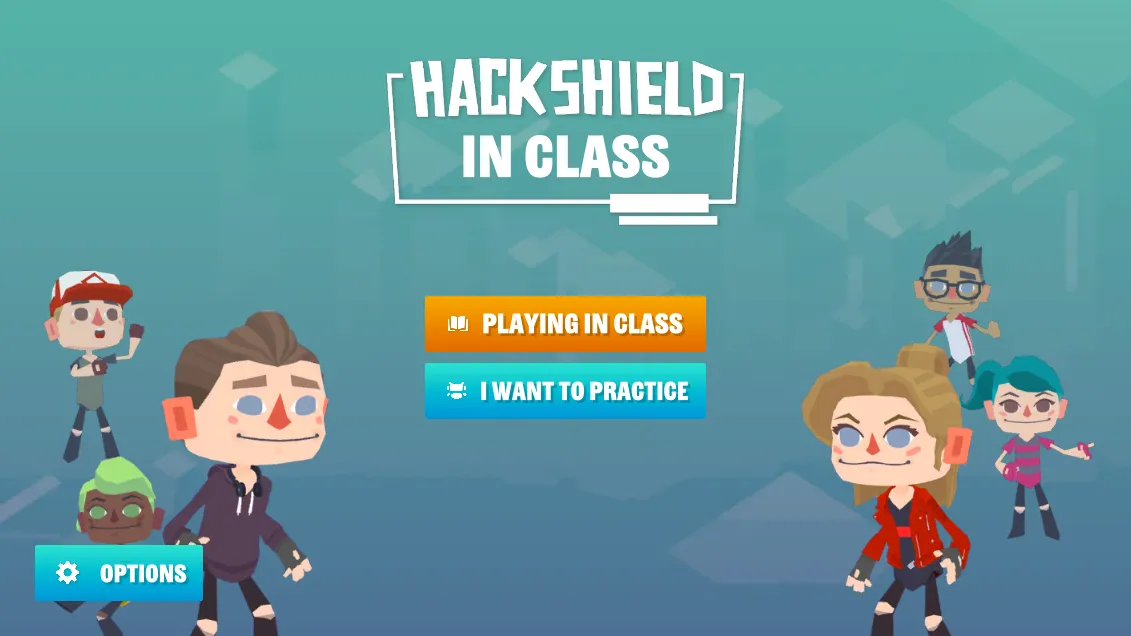
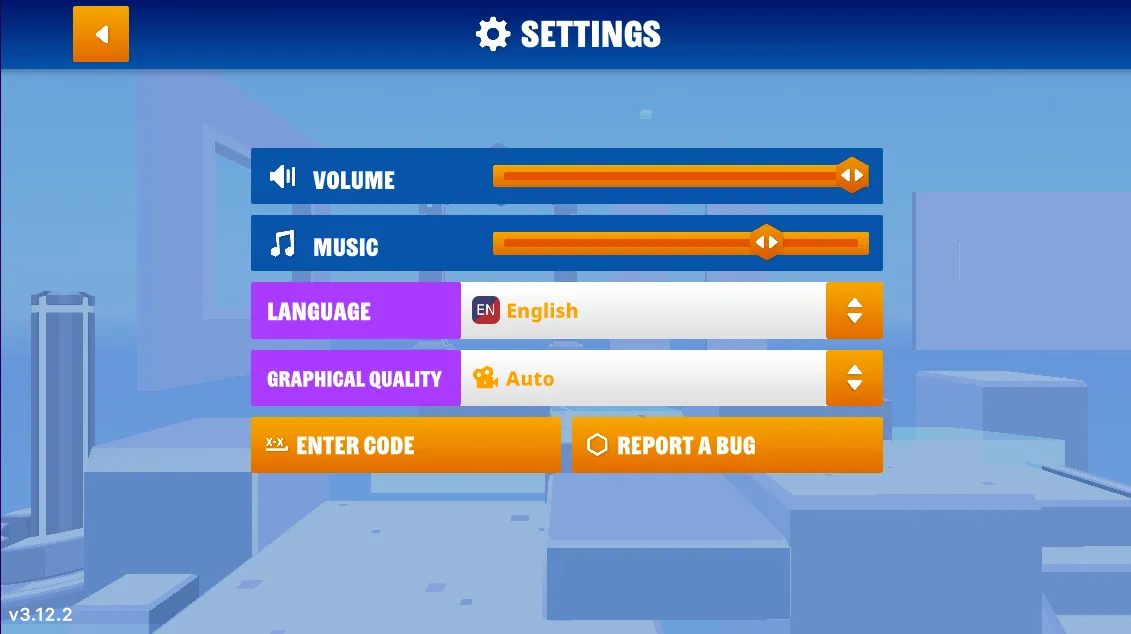
- If you prefer a silent quest, you have the option to turn off the sound. Simply navigate to the game's options menu, and you'll find the accompanying images on the right.
- Now, let's dive into the heart of our quest! Navigate to the game’s options menu where you can turn off the music.
Learn more
Videos are coming soon
Appendix
Appendix 1
Puzzle 1
Puzzle 2
Appendix 2
Solution Puzzle 1
Solution Puzzle 2
